MediPOSby Makerss Hub

One app for the whole counter.

MediPOS is the pharmacy point of sale built and tested for Sri Lanka. Billing, stock and expiry, supplier invoices and day close, on a computer, tablet or phone.

Point at a box on the shelves to read its label.

All features free for 30 days. First 20 pharmacies.
Counter
Counter
Suppliers
Stock room
Back office
Back office
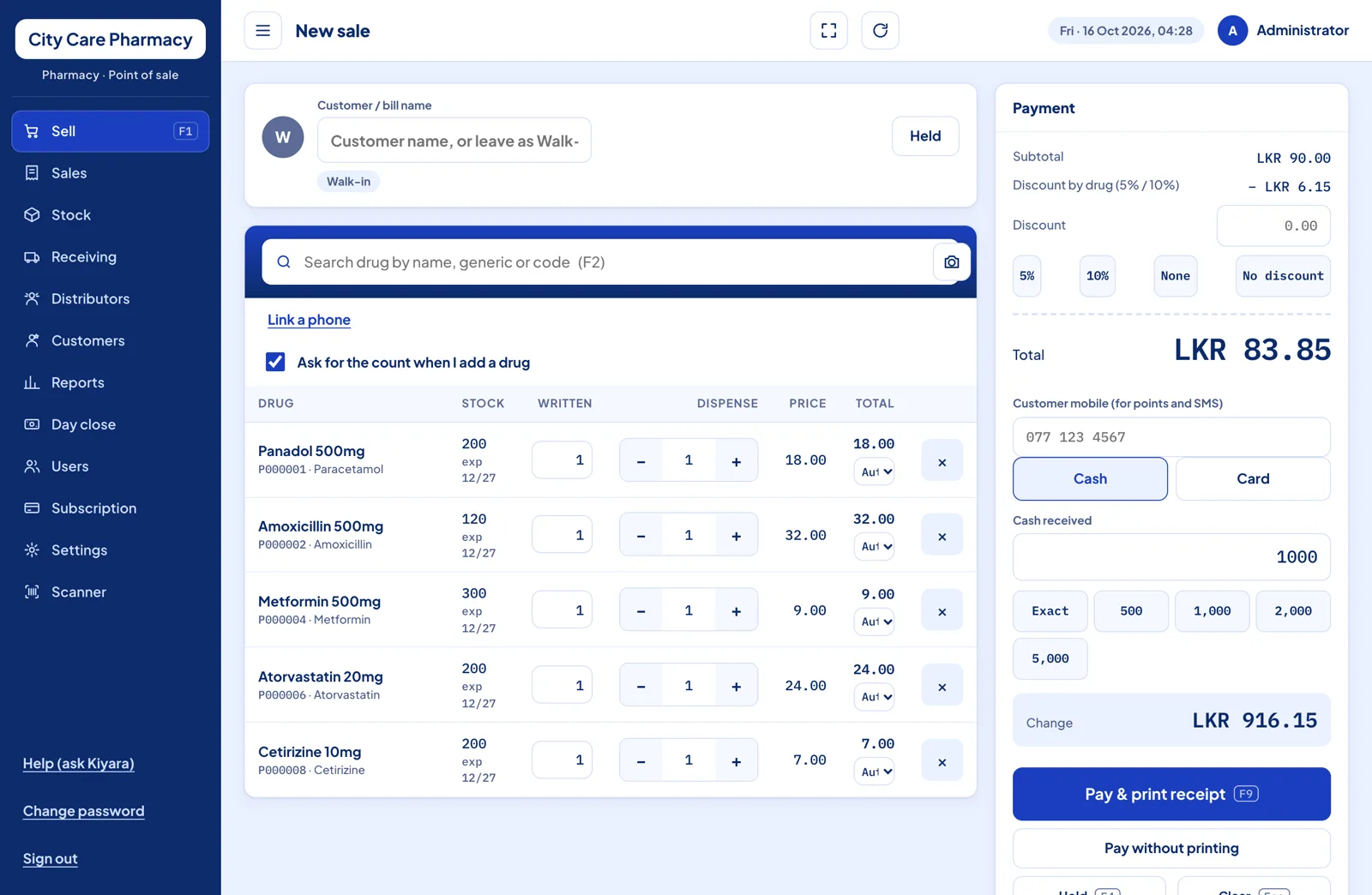
The MediPOS Sell screen with five medicines on a bill, the total and the change, on a demo pharmacy
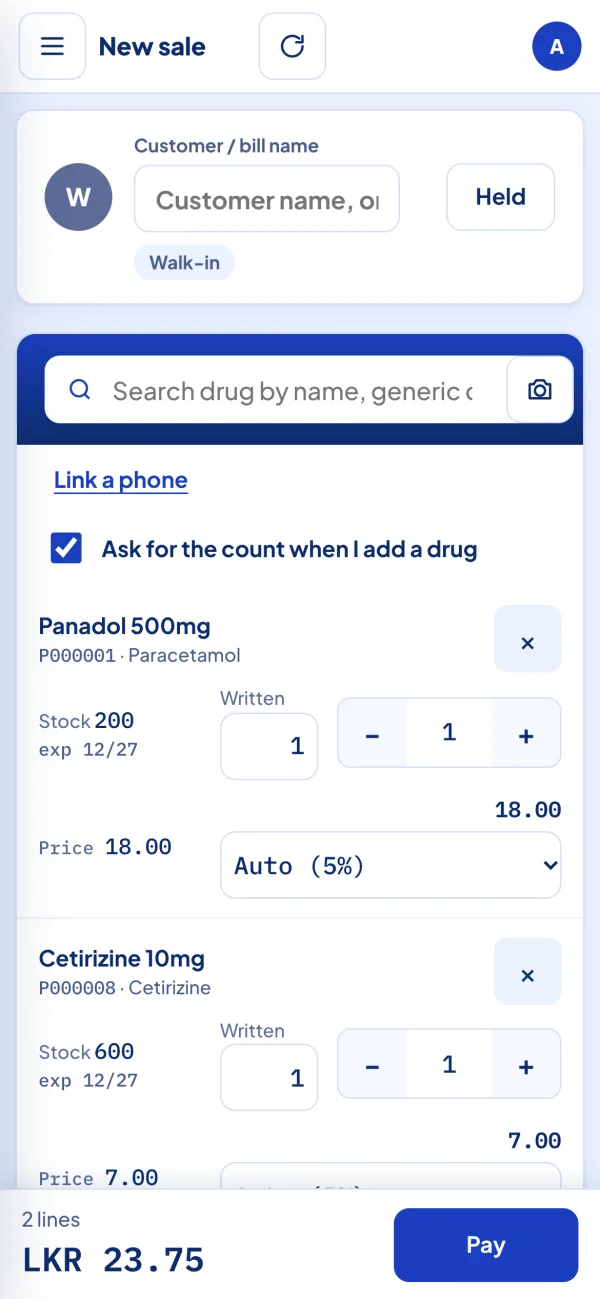
MediPOS billing on a phone

All features free for 30 days. First 20 pharmacies.
See it at work.

Photo the invoice. Skip the typing.

A distributor invoice used to mean typing every line by hand. Now it is four steps.

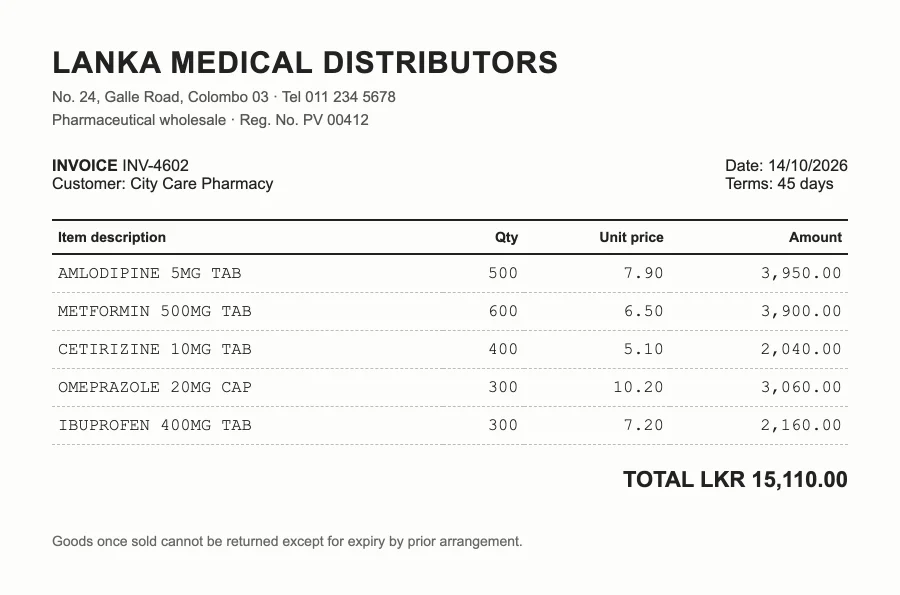
  1. A paper distributor invoice listing five medicines, quantities and prices (demo invoice)

    1Photo the invoice and send it on Telegram.

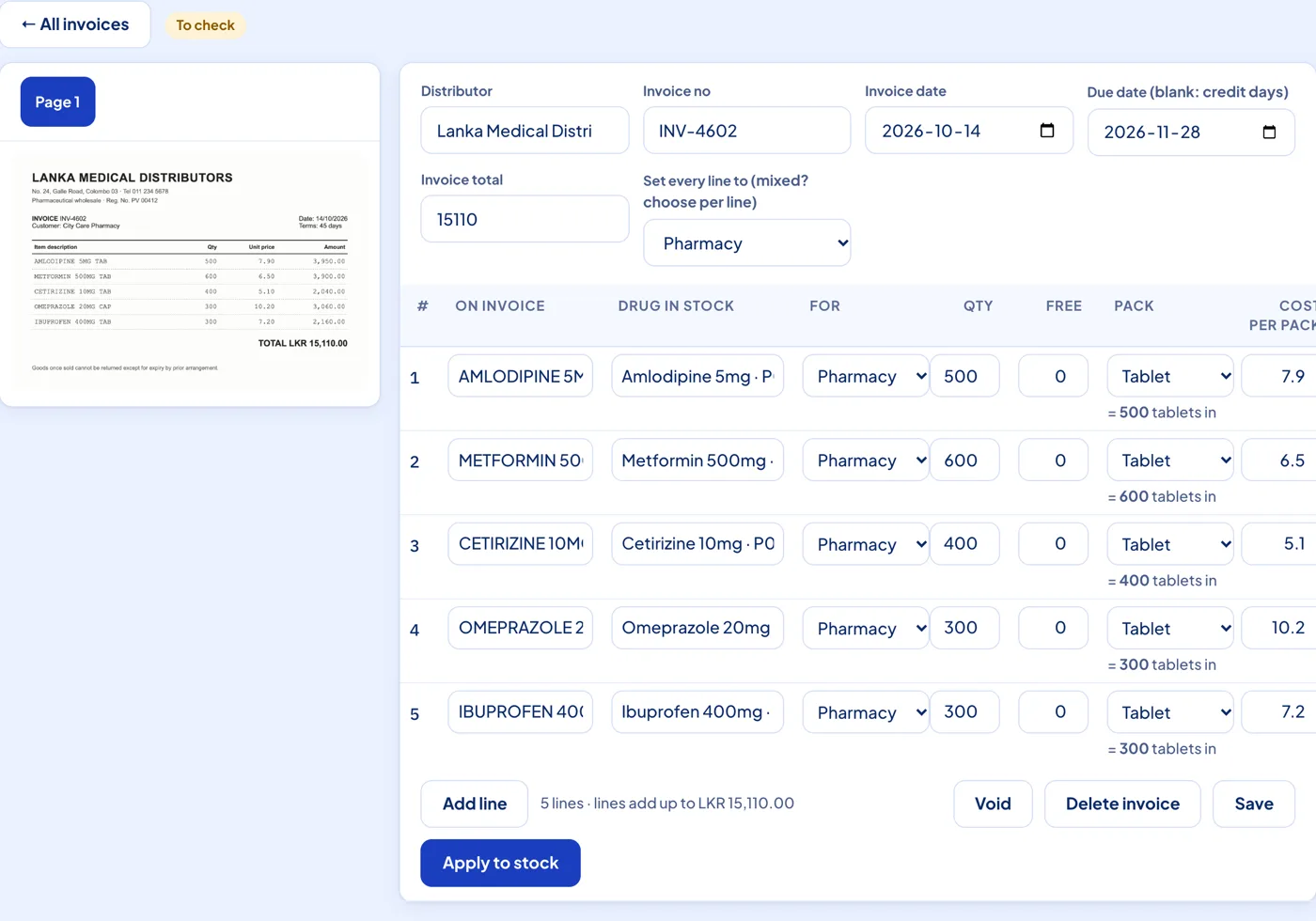
  2. MediPOS Receiving screen: the invoice photo beside the five lines it read, matched to medicines in stock

    2MediPOS reads it and fills in the lines.

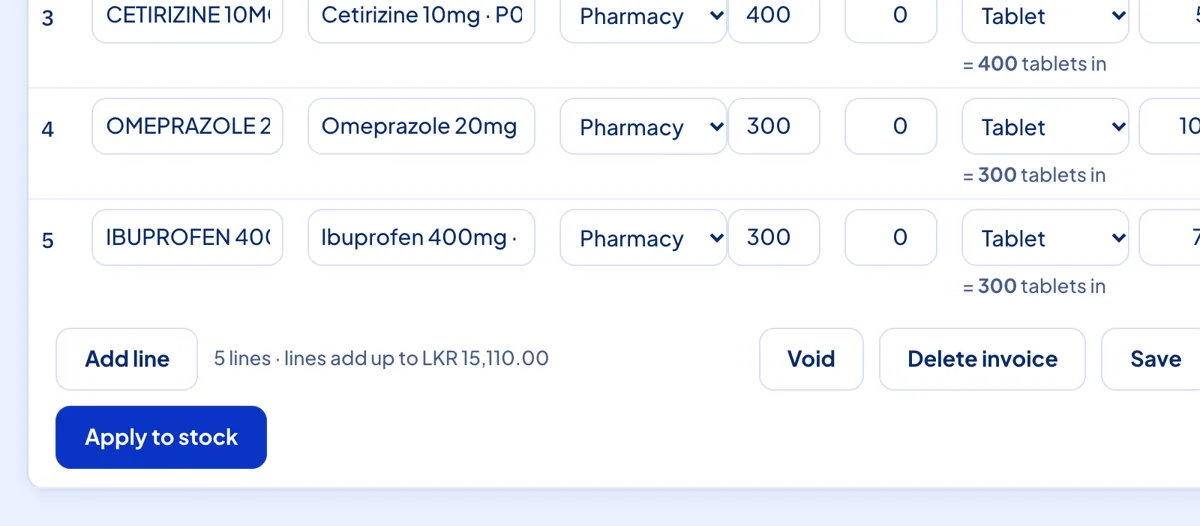
  3. The checked invoice lines and the Apply to stock button

    3Check each line, then tap Apply to stock.

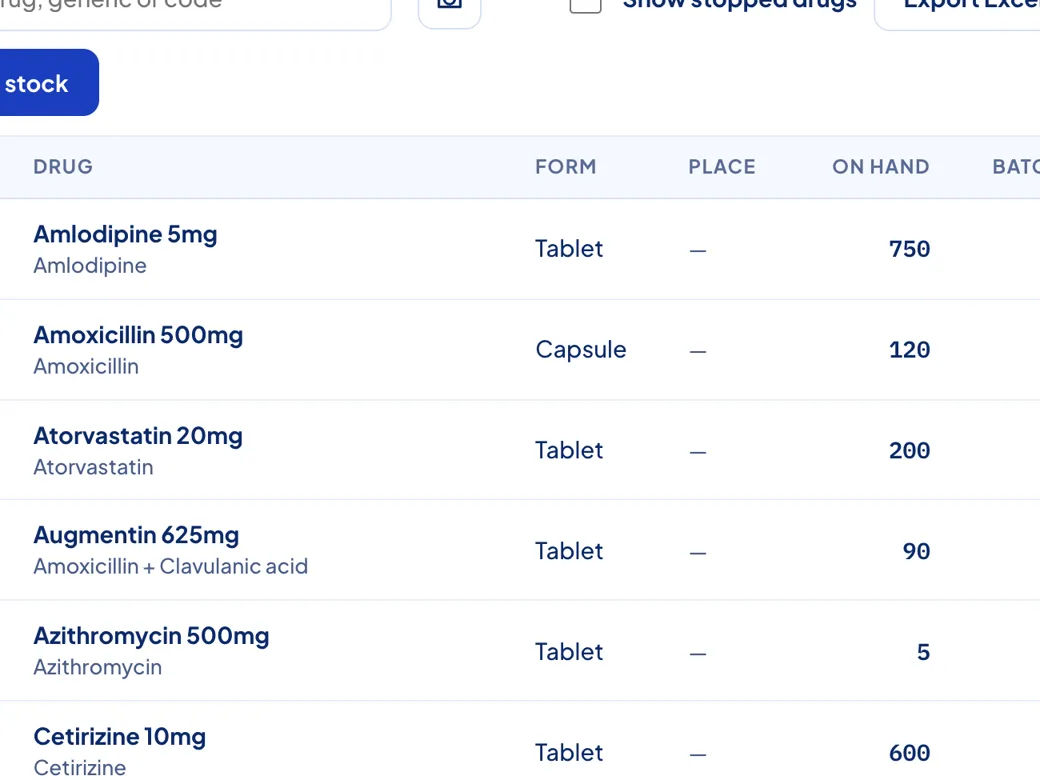
  4. The Stock list after applying: Amlodipine 5mg now shows 750 on hand

    4Stock goes up. Amlodipine: 250 to 750.

No scanner? Use your phone.

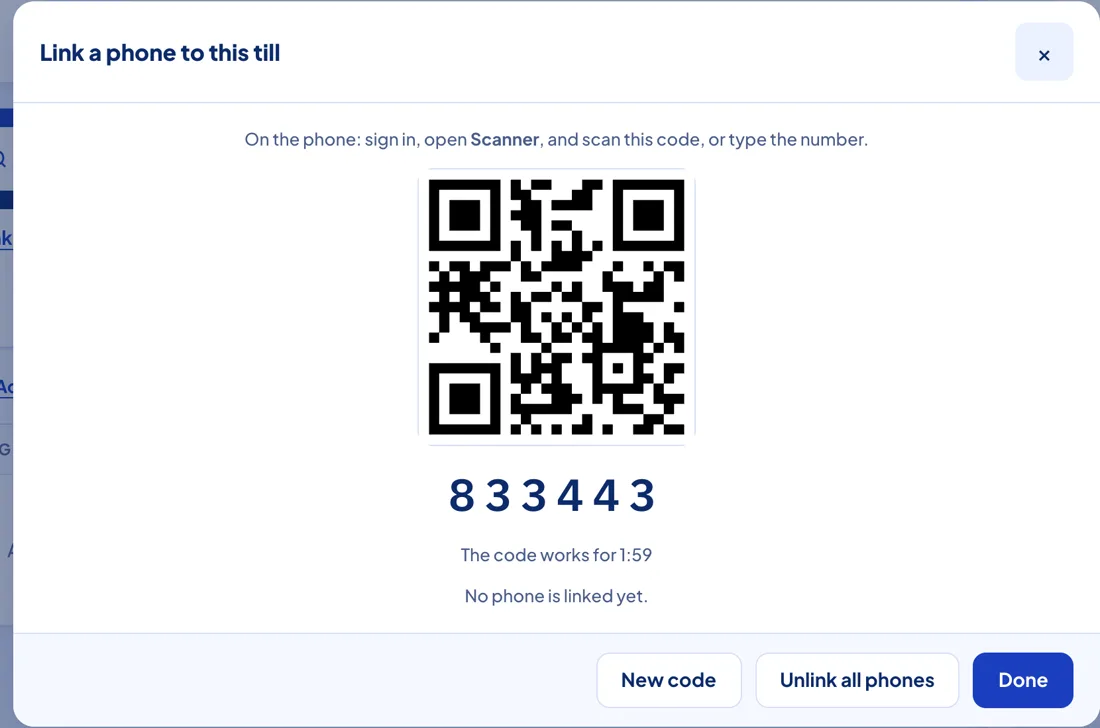
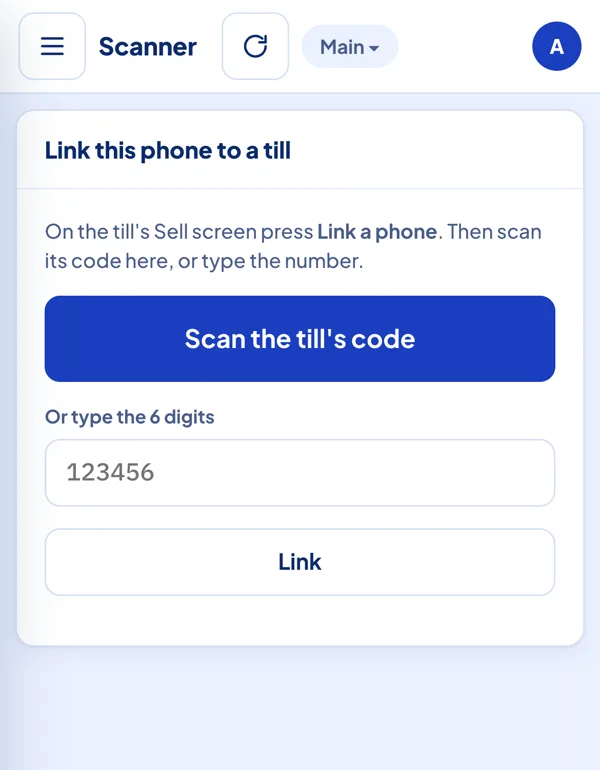
Any phone with a camera becomes the barcode scanner for the till.

  1. The till's Link a phone box with a QR code and a 6-digit code

    1On the till, press Link a phone.

  2. The MediPOS Scanner page on a phone: Scan the till's code

    2On the phone, open Scanner and scan the code.

  3. The till's bill with the scanned medicines on it

    3Scan a box. It lands on the till's bill.

Two shops? One MediPOS.

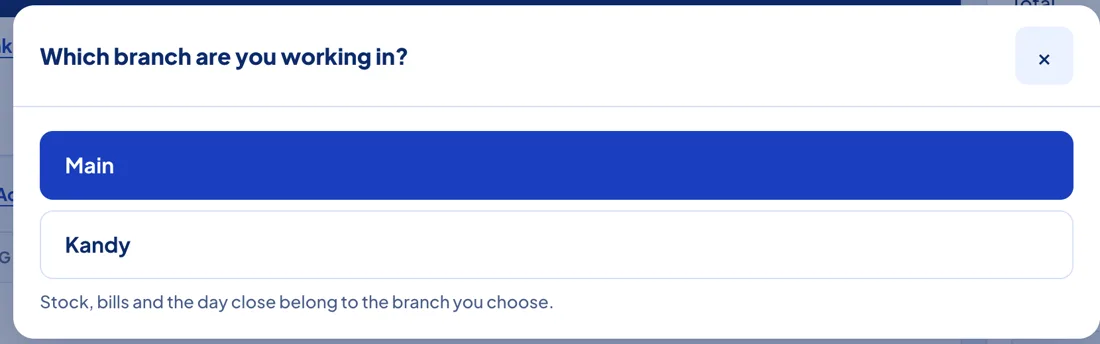
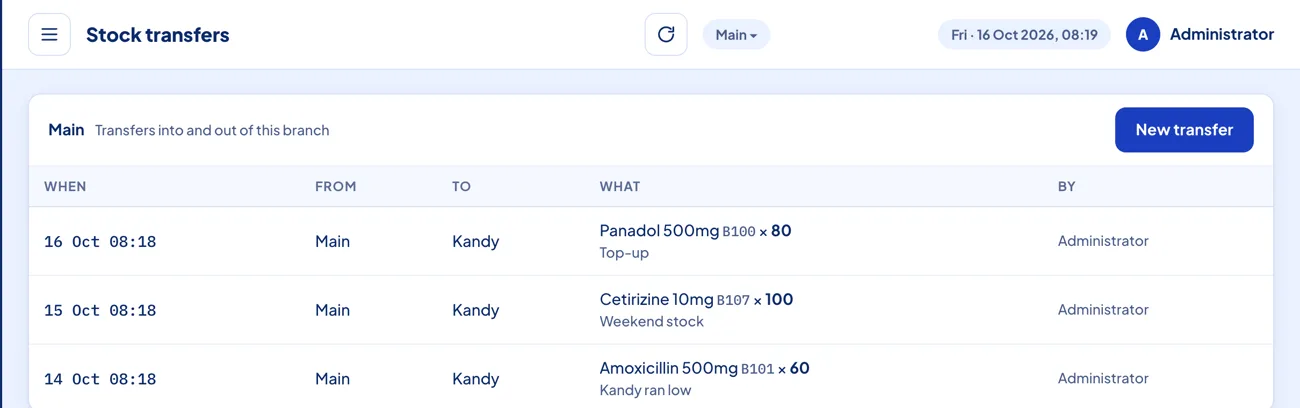
Each branch has its own stock, till and day close, and you move stock between them.

  1. MediPOS asking which branch you are working in: Main or Kandy

    1Pick the branch you are working in.

  2. Stock transfers from Main to Kandy: Panadol, Cetirizine and Amoxicillin

    2Send stock from one branch to another.

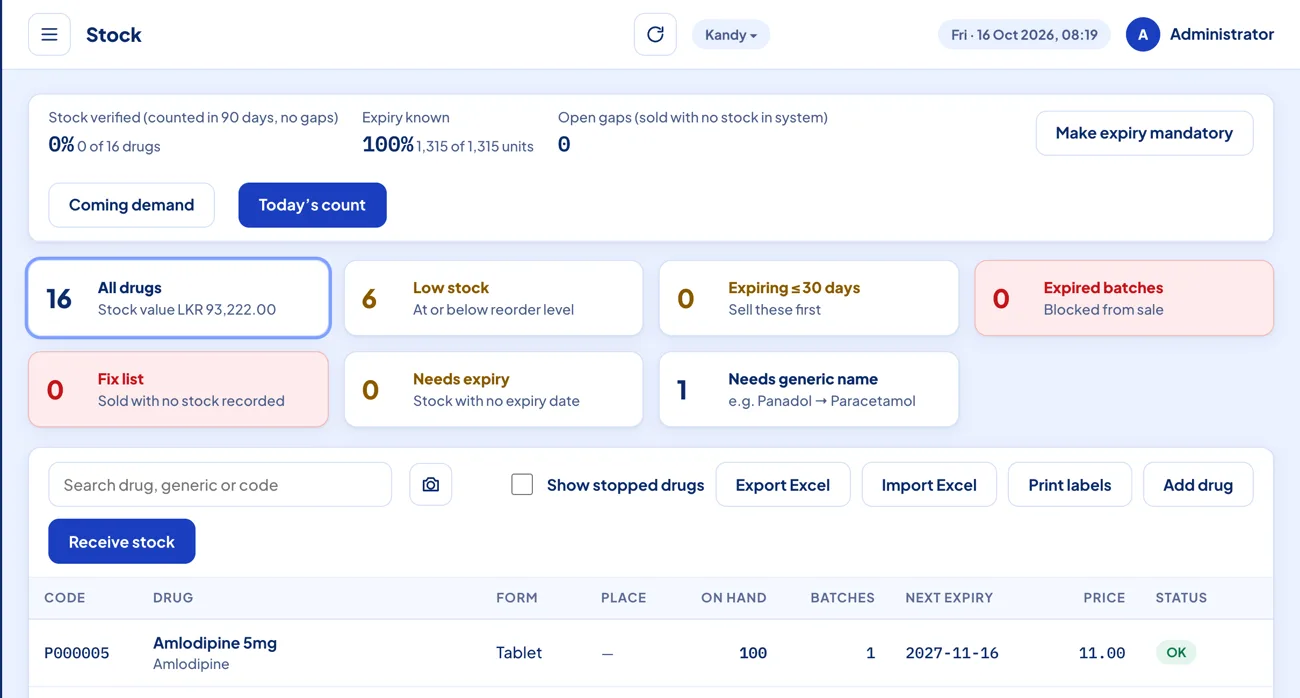
  3. The Stock page for the Kandy branch

    3Each branch sees its own stock.

Where is it? Look it up in 3D.

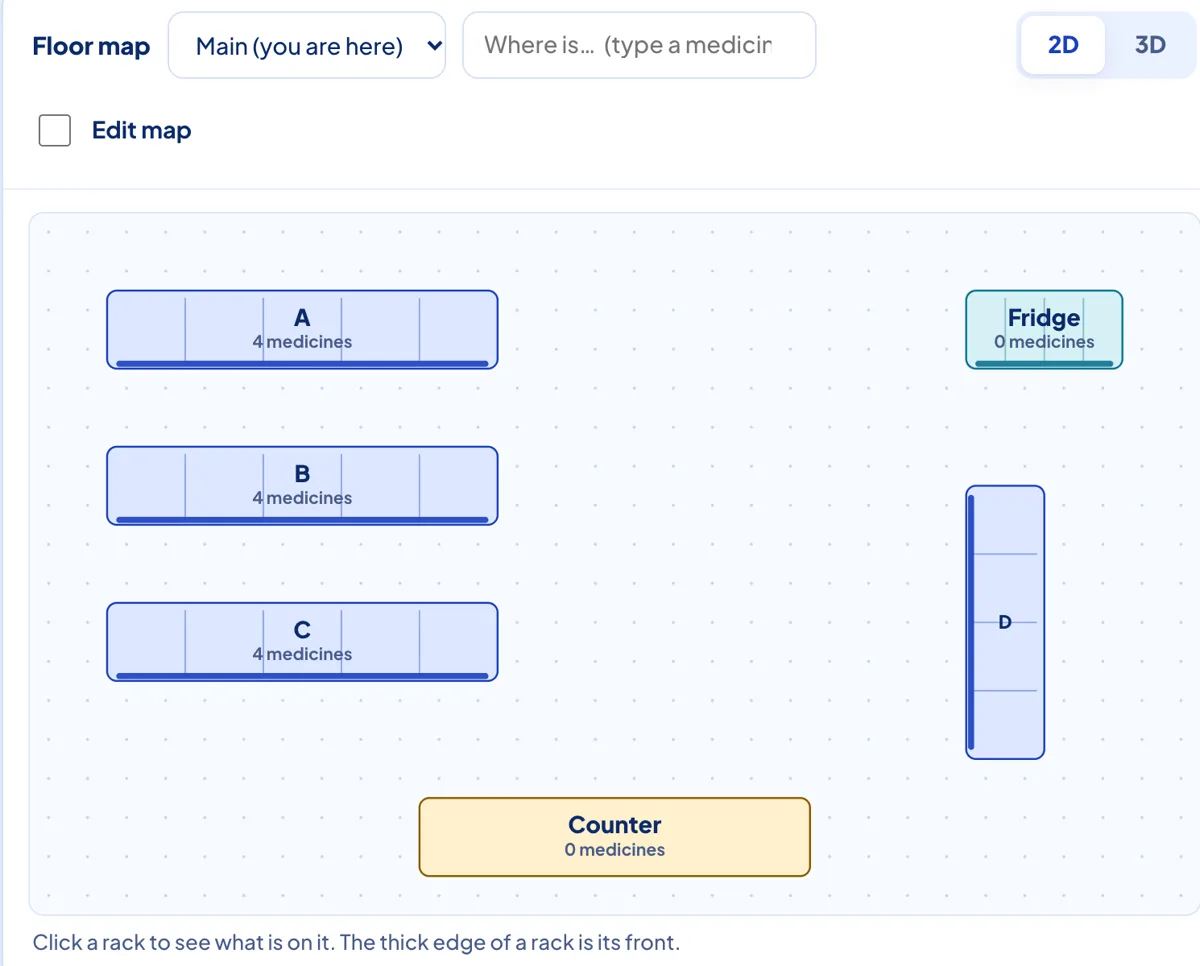
Draw your shop once. Then every medicine has a rack and a shelf.

  1. The floor map: racks A, B, C and D, a fridge and the counter

    1Draw your racks, fridge and counter.

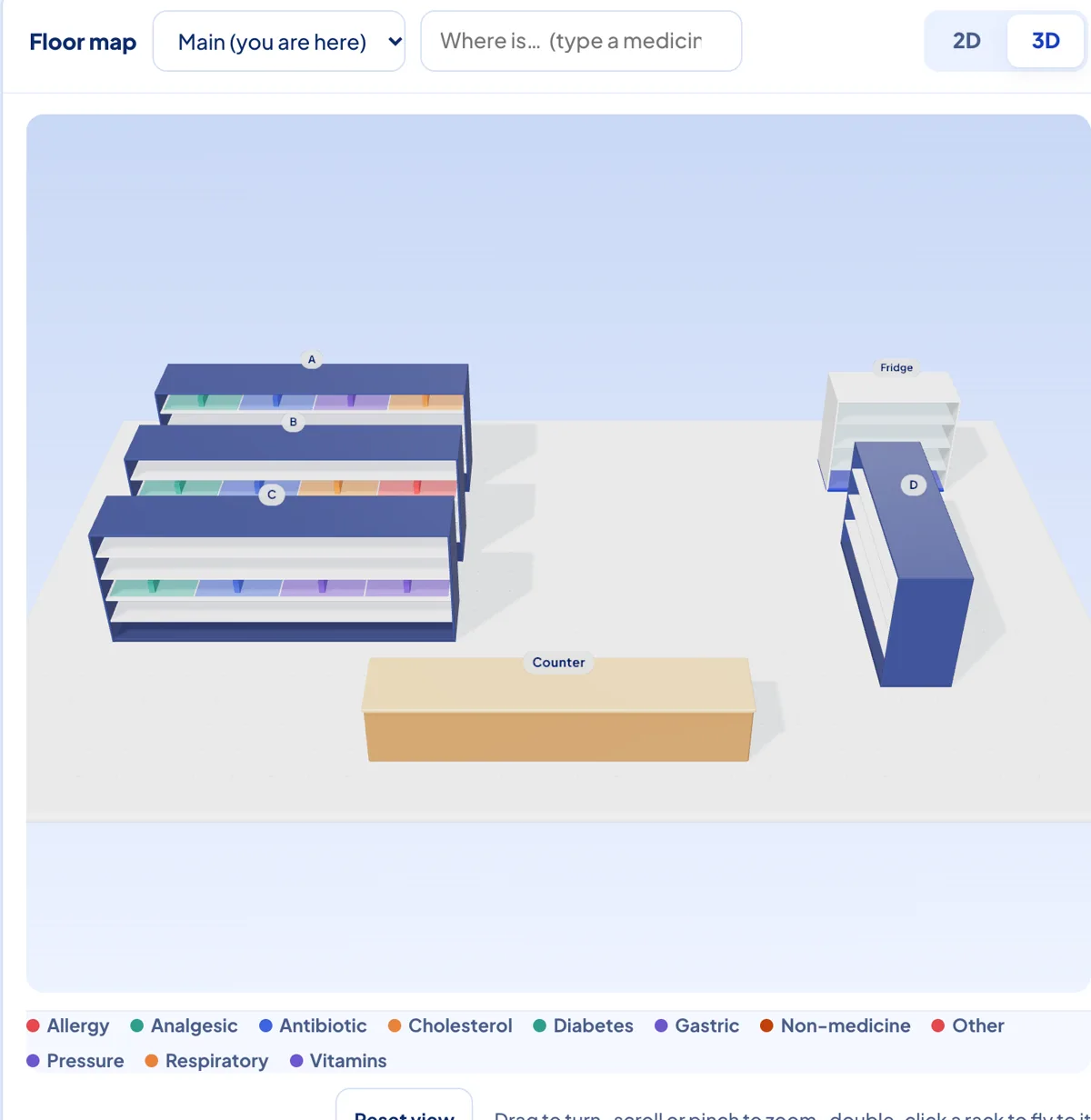
  2. The same shop in 3D with medicines coloured by group

    2See the shop in 3D, medicines by group.

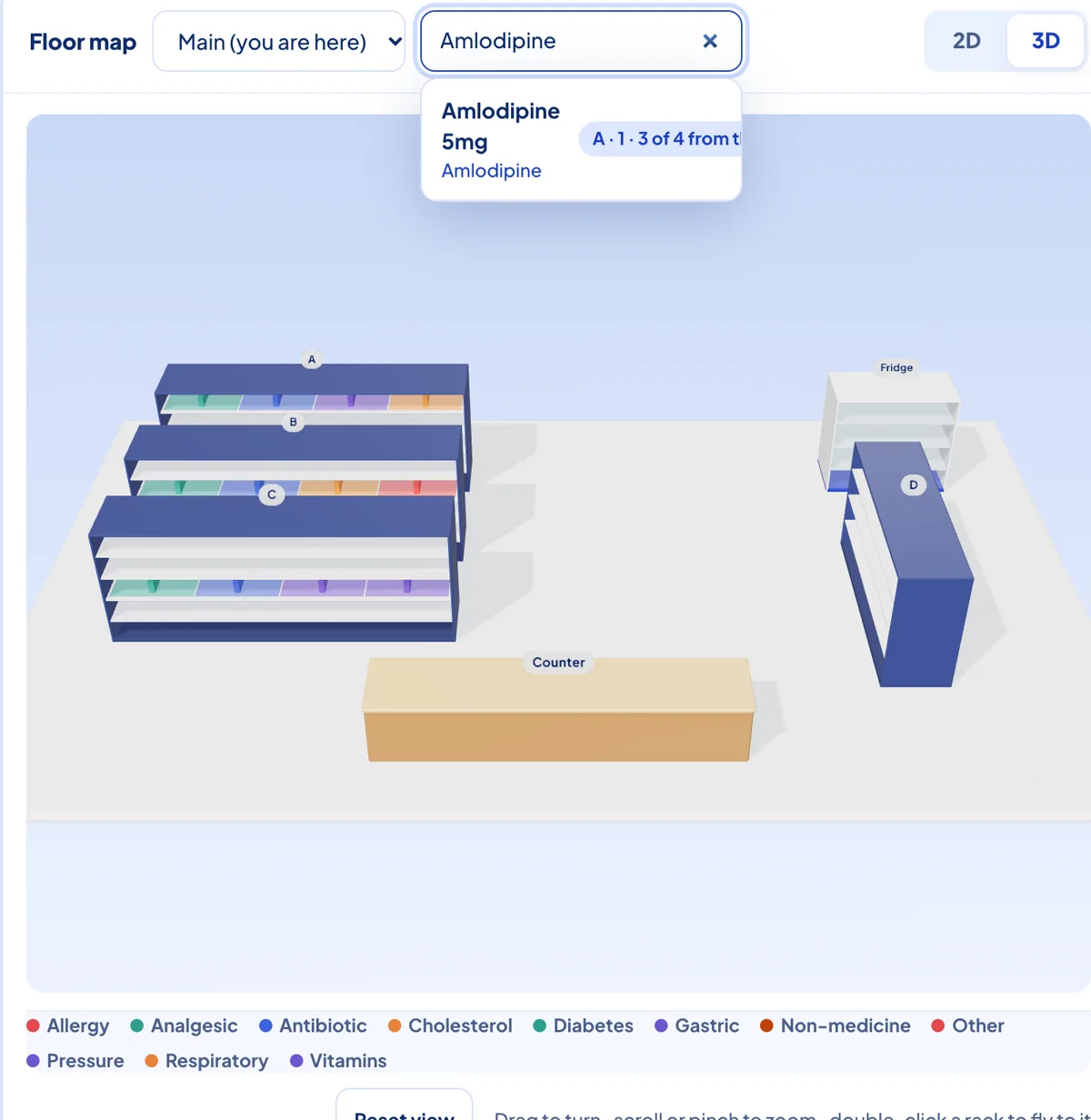
  3. Searching Amlodipine: rack A, shelf 1

    3Search a medicine. MediPOS shows the rack and shelf.

Stuck? Ask Kiyara.

Kiyara is the help assistant inside MediPOS. Ask how to do something in plain words, from any screen.

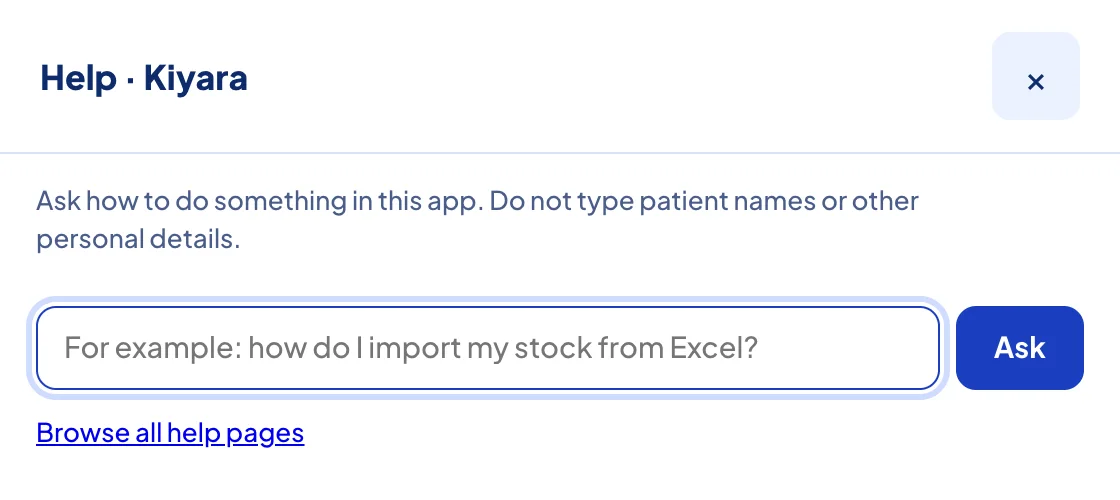
  1. The Help, Kiyara panel in MediPOS with a box to type a question and an Ask button

    1Press Help (ask Kiyara) and type your question.

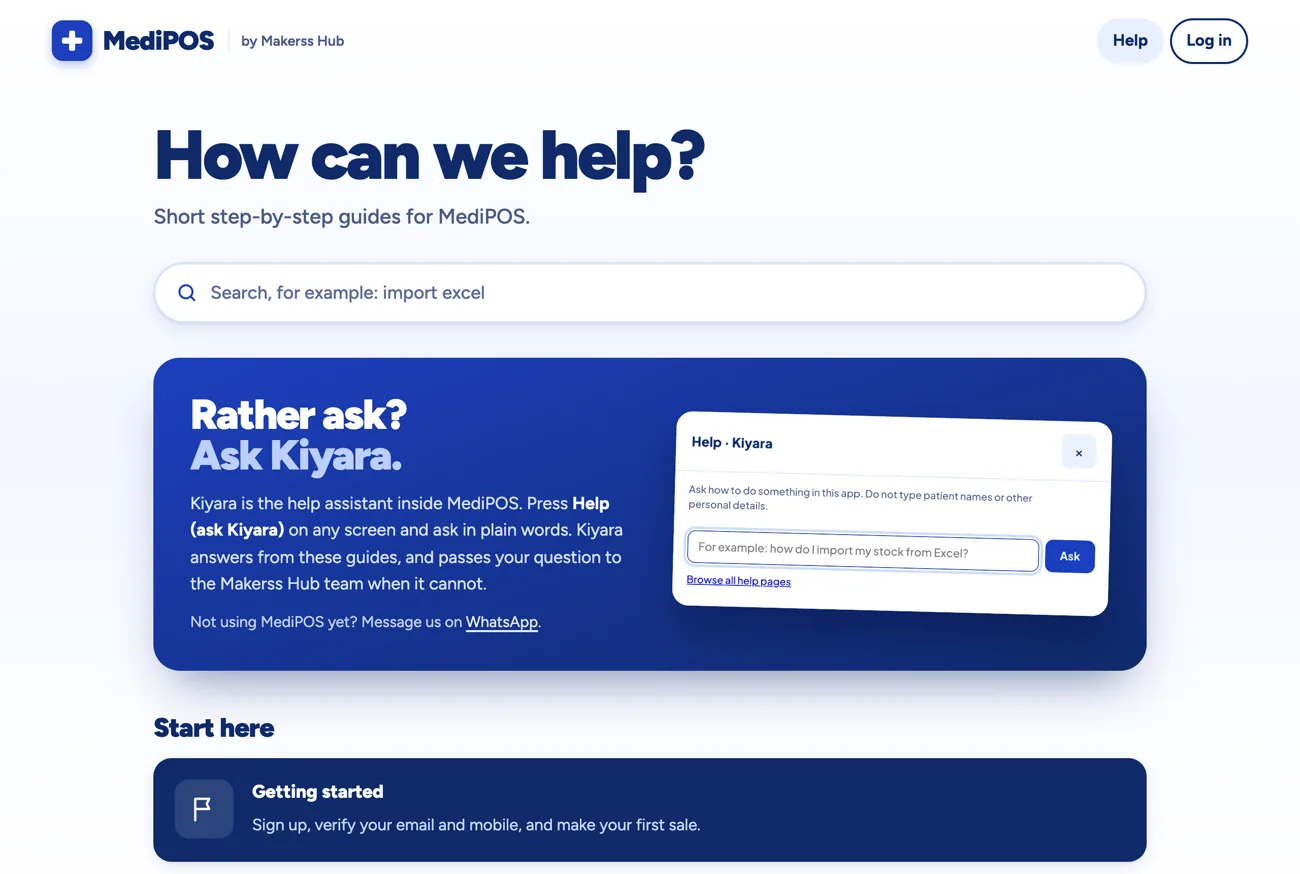
  2. The MediPOS help guides page with step-by-step guides

    2Kiyara answers from the MediPOS help guides.

  3. Still stuck? Kiyara passes your question to the Makerss Hub team.

    3A person picks it up when Kiyara cannot.

Every shelf, one screen.

Pharmacy POS software for Sri Lanka that runs the counter, the stock room, the suppliers and the cash.

The counter

  • Fast billing & receipts. Scan or search, bill, print. Prices, discounts and change worked out for you.
  • Billing on your phone. A second till when the queue builds up.
  • Phone as barcode scanner. No scanner? Link a phone and scan with its camera.
  • Bills on WhatsApp. Send the receipt as text, an image or a PDF.
MediPOS billing on a phone: two medicines on the bill and a Pay button

The stock room

  • Stock & expiry alerts. Every batch with its expiry date. See what to sell first and what is running low.
  • NMRA register. Add medicines from the national register, or import your stock from Excel.
  • Barcode & price labels. Print labels on a roll or A4 sticker sheets.
  • 3D pharmacy layout. Know which rack and shelf every medicine sits on.
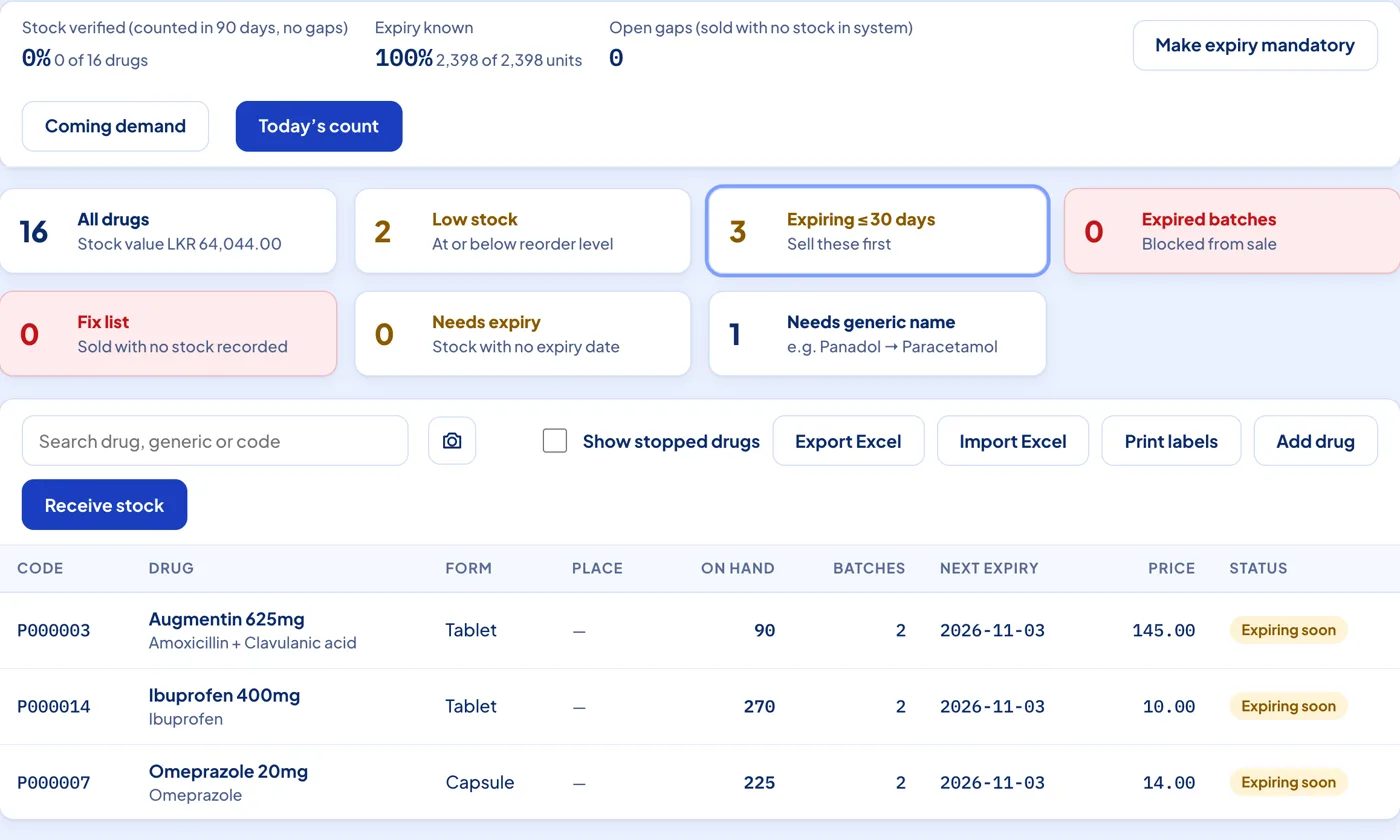
MediPOS Stock screen: 2 low stock, 3 expiring within 30 days, and the three expiring medicines listed

Suppliers

  • Invoice photo to stock. The four steps in the invoice story above, every time a delivery comes in.
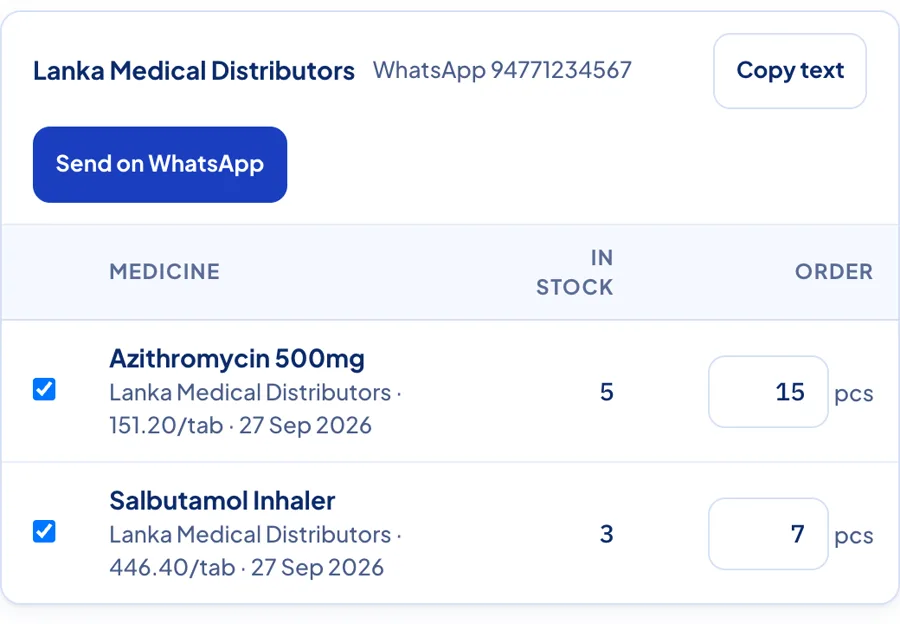
  • Suppliers & reorders. A reorder list grouped by supplier, sent on WhatsApp. See what each distributor is owed and when it is due.
MediPOS reorder list for one distributor with a Send on WhatsApp button

The back office

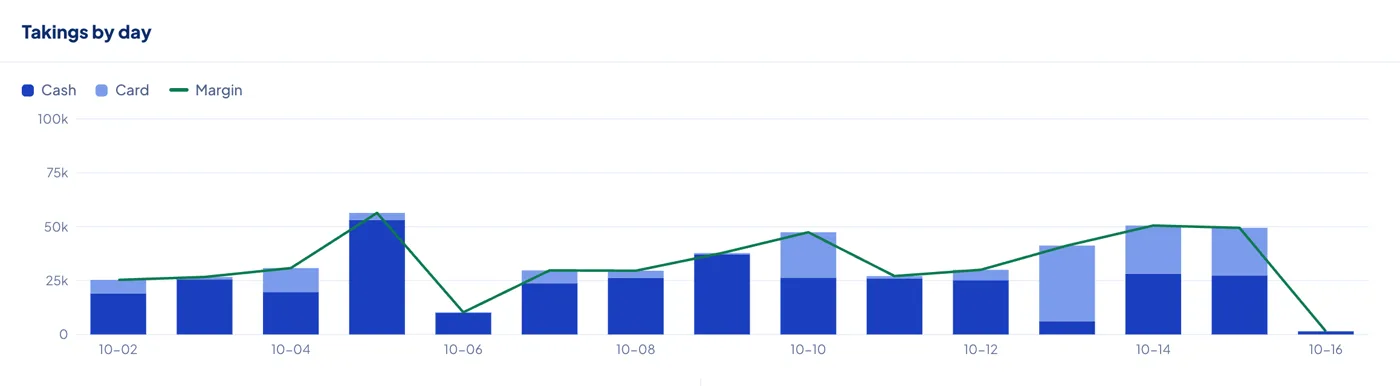
  • Reports & day close. Daily takings, cash and card, and a morning and evening drawer count.
  • Multi-branch. Each branch with its own stock and till, and transfers between them.
  • Doctors & prescriptions. What each doctor usually writes, repeat prescriptions, and a prescription register.
  • Loyalty points & SMS. Points on every bill and a refill reminder by SMS.
  • Ask Kiyara. The help assistant inside MediPOS answers how-to questions from the help guides, and passes you to our team when it cannot.
MediPOS takings by day chart, cash and card

Screens show a demo pharmacy with made-up medicines and sales.

All features free for 30 days.

First 20 pharmacies

We invite pharmacies in waves and send your invitation by email when your turn comes.

Questions? Read the help guides.

Join the waiting list

It takes a minute. We never share your details.

How many branches?
What do you use today?

Used only to contact you about MediPOS. Privacy policy